Work with DOCX
Open documents, edit text and save copies. Your original stays separate from the changes you make.
WINDOWS - PAID BETA
Meet Good Tools Writer, an independent desktop word processor for everyday DOCX documents. Open a draft, shape your ideas and save a new copy. No Microsoft Office licence required.
Take a closer look ↓INSIDE THE APP
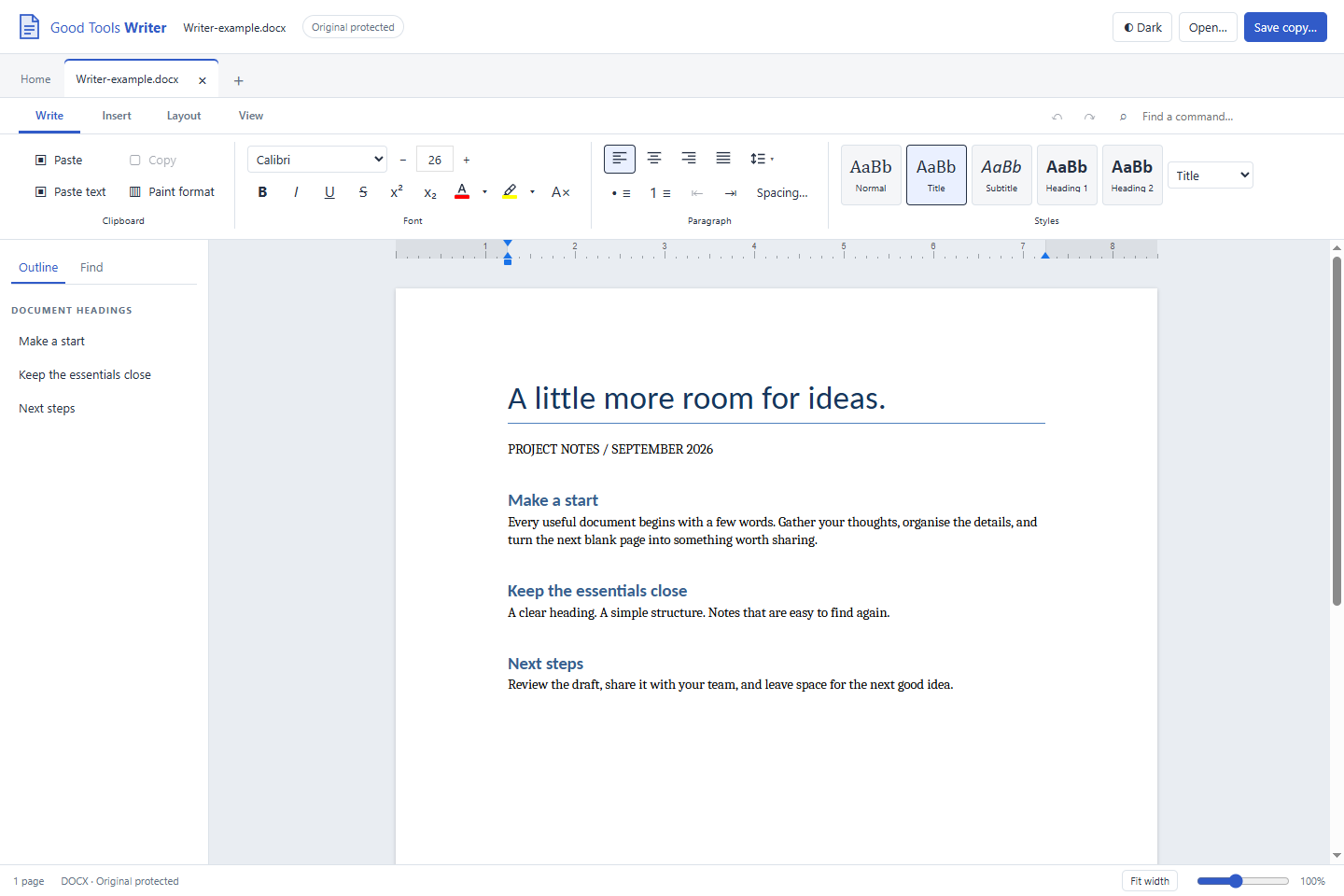
BUILT AROUND THE EVERYDAY
Open documents, edit text and save copies. Your original stays separate from the changes you make.
Fonts, headings, styles and paragraph formatting, with an outline to move around your document.
Separate document tabs, recent files and an original tabbed toolbar keep your work together.
Light and dark appearances. Zoom with the slider, Ctrl + mouse wheel, or Ctrl + plus and minus.
BEFORE YOU CHOOSE WRITER
Writer is still a development preview, not a finished replacement for every Microsoft Word feature. DOCX appearance and editing support depend on the document.
A FEW PRACTICAL DETAILS
No. Writer uses its own application and document engine. The Windows build requires Microsoft Edge WebView2; Python and Microsoft Office are not required.
Document editing runs locally. Internet access is needed to purchase, download and activate each PC, and to obtain any missing runtime prerequisite. Editing works offline after activation.
Yes, the current Windows beta costs EUR 19.99 once. This purchase is for a beta with known limitations, not a finished Word replacement. Future mobile or desktop platforms are not included. Review the compatibility notes before buying.
Windows is the first target. Other platforms are future plans and are not included in this announced Windows release.